My Garden: Free Garden Journal & Care Reminders
 By
By My Garden is your free personal garden dashboard — every plant you save gets care reminders, seasonal tasks and follow-ups matched to your climate.
More about this tool
Add plants from the Plant Finder, Plant Identifier or any care guide — and never miss a watering, feeding or pruning again.
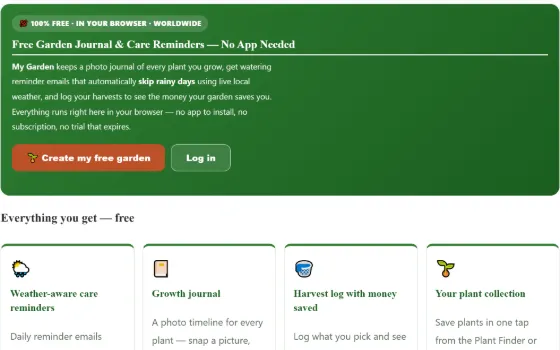
Free Garden Journal & Care Reminders — No App Needed
My Garden keeps a photo journal of every plant you grow, get watering reminder emails that automatically skip rainy days using live local weather, and log your harvests to see the money your garden saves you. Everything runs right here in your browser — no app to install, no subscription, no trial that expires.
Everything you get — free
Weather-aware care reminders
Daily reminder emails computed from each plant's real water needs, the season and live weather for your location — if rain is coming, the watering reminder is skipped automatically.
Growth journal
A photo timeline for every plant — snap a picture, add a note, and watch the "grown 43 days" story build from seed to harvest.
Harvest log with money saved
Log what you pick and see the running total of what your harvests would have cost at the shop — proof that the garden pays you back.
Your plant collection
Save plants in one tap from the Plant Finder or Plant Identifier, or search and add any of 42,000+ species — with care notes attached.
How it compares to paid plant-care apps
| Feature | Gardening Guider | Typical paid app A | Typical paid app B |
|---|---|---|---|
| Weather-aware watering reminders (rain-skip) | ✅ Free | Paid tier | Paid tier |
| Photo growth journal | ✅ Free, unlimited | Free (limited) | Paid tier |
| Harvest log with money-saved value | ✅ Free | ✕ Not offered | ✕ Rarely offered |
| Plant database you can save from | ✅ 42,000+ species | A few hundred | A few thousand |
| Works without installing an app | ✅ Browser + email | ✕ App required | ✕ App required |
| Price | $0 — free forever | ≈ $30–40 / year | ≈ $25–36 / year |
Honest comparison: "paid app A/B" reflect the typical feature tiers of popular subscription plant-care apps as of July 2026 — individual apps vary. We simply give the whole stack away free.
Start your garden journal in under a minute
One free account unlocks the journal, reminders, harvest log and plant collection — plus cloud-save in the Garden Bed Planner. No credit card, ever.
🔎 Browse the Plant Finder first 🧱 Plan a bed
Why does keeping a garden journal make you a better gardener?
My Garden is a free garden journal online — a plant care tracker for everything you grow, with notes, harvest logs and plant watering reminders. Think of it as a free garden diary that remembers the watering days for you, so nothing depends on memory. Add plants straight from the plant finder.
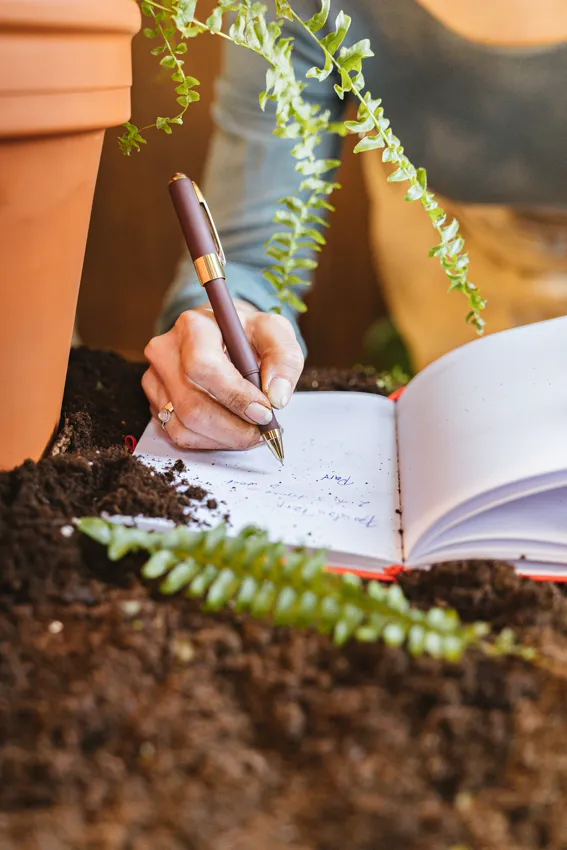
Gardening runs on a one-year feedback loop: by the time you learn whether a decision was right, the season is over and the details are gone. A journal shortens that loop from memory to record.
When each plant has a dated photo timeline and a few notes, next season’s questions stop being guesses: Which tomato variety actually cropped first? When did the aphids arrive last year? How long did that lettuce bed really last before bolting? Farmers and researchers formalise this as phenology — tracking the dates of recurring biological events like first flowering, fruit set and last harvest — and it is the backbone of how planting calendars were built in the first place. Your journal is a phenology record for the one microclimate no calendar can model: your own garden.
There are two quieter benefits. First, photos catch problems early — leaf yellowing, pest damage and nutrient deficiencies are far easier to spot when this week’s photo sits next to last week’s. Second, a “grown 43 days” timeline is motivating in a way memory never is; seeing progress is what keeps new gardeners going through the slow weeks. The journal here is deliberately low-friction: one photo and an optional note per entry, attached to a plant you have saved, viewable as a timeline from anywhere — because a journal only works if it actually gets written.
How do the care reminders use real weather — and why do they skip rainy days?
Most reminder apps run a dumb countdown: “water every 3 days”, rain or shine. That teaches overwatering — the number-one killer of garden and container plants. The reminders here are computed differently, every day, from three inputs:
- The plant’s real water need. Each saved plant carries its species’ water requirement from the plant database — a drought-happy rosemary and a thirsty basil are never put on the same clock.
- The season. Water demand follows evapotranspiration — the combined loss of water from soil and leaves — which rises with heat and sun. Intervals stretch automatically in cool months and tighten in summer.
- Live local weather, including rain. Before a watering email is sent, the day’s forecast for your location is checked. If meaningful rain is expected, the reminder is skipped — the sky is doing the job, and watering on top of rain does nothing but leach nutrients and invite root rot.
The result lands as a plain email — no app install, no notification permissions, nothing to charge. You can opt out per account at any time, and the reminder maths restarts automatically as the weather changes. It is the same weather-aware logic subscription plant-care apps sell as their premium tier, running free in your inbox.
Why track harvest value? The money your garden quietly saves
Ask a gardener whether the garden “pays for itself” and you’ll get a shrug — almost nobody measures it. Yet the classic finding of home-garden economics studies (the best-known US example valued a well-run vegetable garden’s annual produce in the hundreds of dollars over its costs) is that ordinary gardens genuinely out-earn what is spent on seed and compost. The catch is that the value arrives in dozens of small, forgettable harvests: a bowl of beans here, three tomatoes there.
The harvest log turns those forgettable moments into a running total. Log what you pick and its weight; the tracker keeps a season sum and an estimated shop-price value, so “a few tomatoes now and then” becomes “9.4 kg of tomatoes — roughly what a supermarket would have charged for them”. That number does three useful things:
- It guides next year’s plan. Sort a season by value and the verdict is obvious: herbs, salad leaves and cherry tomatoes usually repay their space many times over, while space-hungry, cheap-to-buy crops (looking at you, maincrop potatoes) may not deserve a prime bed.
- It makes the case for the garden. A real figure — kilograms picked, money saved — is the honest answer to “is all that digging worth it?”
- It closes the loop with the journal. Harvest entries sit alongside the photo timeline, so each plant’s record runs seed → growth → yield: the complete story of what worked.
📚 Sources: Wikipedia — Phenology · Wikipedia — Evapotranspiration · Wikipedia — Garden · Oregon State University Extension — Gardening. Money-saved figures are estimates from typical retail produce prices and are meant as a guide, not an accounting record.
What does the unified My Garden dashboard show at a glance?
Once you are logged in, /my-garden/ works as a single control room for everything you track on Gardening Guider. The top of the page answers the only question that matters each morning — “what does my garden need today?” — by computing which plants are due for watering from each plant’s stored water need, the current season and your live local forecast (rainy days are flagged so you can skip the can). Below that, every saved plant gets its own profile card that pulls together its latest journal note, its most recent harvest and its care status, so you never have to hop between three tools to see one plant’s story.
A stats strip keeps the season honest — plants saved, journal entries, kilograms harvested and the estimated money your garden has saved you — and a milestone row marks the small wins (first plant, first harvest, $50 saved) that make the habit stick. When the season winds down, the “Share my season” button turns those numbers into a ready-to-post recap image, generated right in your browser. All of it is free, and all of it runs on the data you have already entered — nothing extra to maintain.
Getting started with My Garden in 30 seconds
- Save a plant. Add it from any care guide or from the plant finder.
- Log what you do. My Garden keeps watering, feeding and harvest notes in one place.
- Check the today list. It shows only what actually needs care.
Find new plants with the plant finder, name unknown ones with the plant identifier, and design the beds in the garden planner. Watering amounts come from the water calculator.
🌍 Works worldwide — metric & imperial
🔄 Updated: 23 Jul 2026 💯 Free — needs a free account to save your garden
Why gardeners who track plants lose fewer of them
The pattern behind most dead plants is forgetting: which pot got watered, what was fed when, which plant sulked after the last repot. A simple saved list with notes fixes it — that’s My Garden: every plant you save carries its care snapshot (water need, sun, difficulty) pulled from the 42,000-species database, plus your own notes, on any device you log into.
What to note per plant (30 seconds each): where it lives (which window/bed), the date you last repotted or fed it, and anything odd you spotted — three lines that turn every future problem into a solvable timeline instead of a mystery.
Coming with the app: watering and sowing reminders built on this same list — your saved garden is the foundation, and it stays free.
❓ Frequently asked questions
What does My Garden do?
Is My Garden really free?
How do I add a plant to My Garden?
Will I get watering and care reminders?
Can I keep notes on each plant?
What happens to my data?
Do I need an account, and what do you ask for?
Does it work on a phone?
How many plants can I save?
What if I don’t know what my plant is?
What is worth writing in the notes?
🧰 Explore all our free garden tools
Tools hub →Was this tool helpful?