Plant Identifier: Identify Any Plant by Photo, Free
 By
By The Plant Identifier names any plant from a photo — snap it, know it, and jump straight to its full care guide.
More about this tool
Works for houseplants, garden plants, weeds and wildflowers. 💚 Save your plants to My Garden in your free Gardening Guider profile — and get free care reminders & seasonal follow-ups for the plants actually growing in your garden.
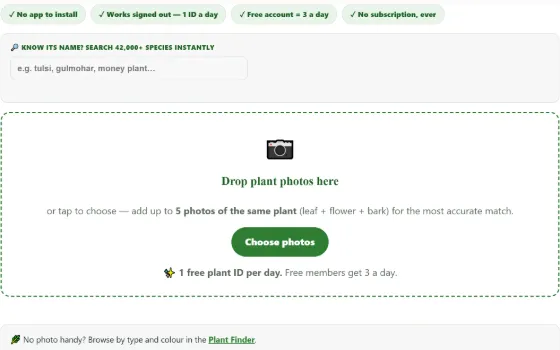
Drop plant photos here
or tap to choose — add up to 5 photos of the same plant (leaf + flower + bark) for the most accurate match.
✨ 1 free plant ID per day. Free members get 3 a day.
Reading the match score: 60%+ is usually reliable · 20–50% means compare the shortlisted candidates · under 20%, retake closer and sharper. Every match card also shows our free care essentials and pet-safety flag where we have data.
Species identification powered by Pl@ntNet. Always double-check before eating or handling any plant.
How to identify a plant from a photo — getting a match that sticks
A plant identifier answers “what plant is this” from a photograph. Upload up to five pictures to identify plants by photo, or use the name search as a plant name finder across 42,000+ species. It is a free plant identifier with no subscription, no app download and no sign-up, and every match links to a full care guide. Sick plant instead of an unknown one? Use the plant doctor.
Photo identification lives or dies on the photo. The AI compares your picture against hundreds of millions of reference images, and the closer your shot looks to a botanist’s reference photo, the higher the confidence score comes back. A blurry photo of a whole balcony will match half the plant kingdom at 8% each; a sharp close-up of one flower routinely comes back above 80% for a single species.
These habits make the biggest difference:
- Fill the frame with one organ. One leaf, one flower, one fruit or a patch of bark — held flat, filling most of the picture. Step closer instead of zooming; digital zoom smears the fine leaf-vein detail the AI relies on.
- Shoot flowers first, leaves second. Flowers are the most distinctive part of most plants — their shape, petal count and colour narrow a match faster than foliage. If the plant is flowering, always include a flower shot.
- Add a second and third photo of the same plant. Our identifier accepts up to five photos in a single identification — leaf + flower + bark together resolve lookalikes that a single photo cannot. It costs you nothing extra: five photos still count as one daily ID.
- Tell us what each photo shows. The small selector under each thumbnail (leaf / flower / fruit / bark) tells the engine which recognition model to weight. It is optional, but it measurably sharpens results.
- Avoid blur, backlight and clutter. Hold the phone still, keep the sun behind you, and put your hand or a plain surface behind a thin leaf so the background does not compete. Overcast daylight is ideal — harsh noon sun blows out leaf texture.
- Skip damaged or dead material when you can. Diseased, chewed or dried leaves confuse identification. If the plant is sick, identify it from its healthiest part, then take the problem to our Plant Doctor.
How our plant identifier works
The identification itself is powered by Pl@ntNet, a citizen-science platform built by French public research institutes. Its recognition models are trained on a continuously growing library of expert-verified plant photos covering tens of thousands of species worldwide — one of the largest open plant-identification datasets in existence. When you upload photos, they are compared against that library and you get back the top candidate species, each with a confidence percentage.
Then our own layer takes over, and this is what makes this page more than a bare identifier. Every candidate species is looked up in our in-house database of over 42,000+ species, and where we have a record you instantly see:
- A toxicity and pet-safety badge — flagged in red when a plant is recorded as toxic, so you know before you touch, taste or bring it near pets and children.
- Care essentials at a glance — sun exposure, watering need and how easy the plant is to grow.
- A link to our full care guide when we have written one for that species, plus a one-click jump to the Plant Doctor if the plant looks unwell, and a Save button to add it to your garden list.
What the confidence score means
The percentage is the model’s estimate that the named species is the one in your photos, relative to every other species it knows. As a practical rule: above ~60% with a matching photo thumbnail is usually reliable; 20–50% means “one of these few candidates — compare the reference images”; below 20% means the photo did not carry enough signal, so retake it closer and sharper or add more organs. Scores across the five candidates do not need to add up to 100%.
How accurate is photo plant identification?
Honest answer: very good, not infallible. On clear photos of flowering plants, modern recognition models identify the correct species in the top results the large majority of the time, and the correct genus almost always. Accuracy drops for grasses, seedlings, conifers and very young plants, where even trained botanists need details a photo cannot capture — which is exactly why the multi-photo option exists.
Two rules we ask every user to follow:
- Never eat or medicinally use a plant based on an app identification alone. Some edible species have toxic lookalikes that differ only in details a photo may miss. Confirm with a local expert or authoritative flora first.
- Treat the result as a shortlist, not a verdict. Compare your plant against the reference thumbnail and our care guide photos before acting on it — especially before spraying, feeding or repotting.
If you already know roughly what the plant is called, the name search box above the uploader is often faster than a photo: it searches our full 42,000-species database, including many regional common names, and takes you straight to the care facts.
Is there a truly free plant identifier without a subscription?
Yes — this is one. This page is a free plant identifier without a subscription: no app to install, no sign-up wall, no trial that quietly converts to a paid plan. You upload photos in the browser, get the species candidates with confidence scores, and see the care essentials and pet-safety flag on the same result card — none of it metered behind a payment screen.
The honest context: many popular identification apps are free to download but require a subscription after a handful of identifications, or keep the useful layer — care instructions, toxicity warnings, disease diagnosis — in a premium tier. That is a legitimate business model, not a scam; those apps fund their own databases that way. But it means “free plant identifier” searches mostly land on tools that stop being free within a day of real use. If you are looking for an alternative to subscription-based identifier apps such as PictureThis, this tool covers the same everyday job — photo identification plus care and safety information — entirely in the browser, and the parts we add (care database, toxicity flags, guides) never move behind a paywall.
What “free” does and doesn’t mean here, stated plainly: photo identifications are limited per day because the identification engine’s free tier is a shared public resource — a free account raises your daily limit, and the name search across our 42,000-species database is unmetered. There is no subscription tier at all, for anyone.
Genuinely free — and what that means compared with paid apps
Most well-known identification apps advertise themselves as free, then meter the features behind a trial or subscription: the identification may be free but the care information, toxicity warnings and disease help sit behind a paywall, often around the price of a streaming service per year. We deliberately do the opposite:
| Feature | Typical paid ID app | Here |
|---|---|---|
| Photo identification | Limited trial, then subscription | Free daily identifications (free account raises your daily limit) |
| Multi-photo identification | Often app-only | Free — up to 5 photos per ID, right in the browser |
| Toxicity / pet-safety flag | Usually a premium feature | Free, shown instantly on the result card |
| Care instructions | Premium tier | Free care guides, no meter |
| App install / account wall | App download required | Works in any browser; account optional |
Why free? The identification engine we build on is publicly funded open science, our care database is our own work, and this site earns its keep from the wider gardening content around it — so charging for the identifier would just be a toll booth. A free account is only ever an option (it raises your daily ID limit and saves your plants), never a wall.
Your photos and privacy
Photos you upload are sent to the identification service to be analysed and are not published anywhere on this site. We do not attach your name or account to the image, we do not build a gallery from user uploads, and we do not sell or share upload data. Daily limits are enforced on our own server precisely so that your browser never talks to the identification service directly and no API credentials are ever exposed to your device. If a photo contains something personal in the background, crop it before uploading — good identification photos are tight close-ups anyway, so privacy and accuracy point the same way.
Sources & further reading: Wikipedia — Pl@ntNet · Wikipedia — Automated species identification · ASPCA — Toxic and Non-Toxic Plants list
Using the plant identifier in 30 seconds
- Take a close photo. One leaf, flower or fruit filling the frame beats a whole shrub.
- Add more angles. The plant identifier accepts up to five photos in one go.
- Check the score. Anything under about 50% deserves a second photo.
Every match links to a full care guide. Save the plant to My Garden, browse similar species in the plant finder, and if the plant looks unwell use the plant doctor next. The plant identifier is free and needs no account.
🌍 Works worldwide — metric & imperial
🔄 Updated: 23 Jul 2026 💯 Free to read — no sign-up needed
Identify any plant — photo or name, free
Good identification is safety, not trivia: it tells you whether that volunteer seedling is a tomato or deadly nightshade, whether the houseplant is safe around your cat, and which care guide to follow. This tool gives you two free routes: photo-ID (Pl@ntNet’s scientific engine — one clear leaf or flower per shot) and name search across 42,000+ species, including Hindi common names.
Photo technique that doubles accuracy: fill the frame with ONE organ (a single flat leaf, a flower face-on), plain background, no shadows, and pick the matching organ button. Flowers identify best, then leaves, then fruit; whole-plant "landscape" shots identify worst.
After the ID: every match links to the full care guide and a one-tap Save to My Garden — so identification flows straight into keeping the plant alive. Always double-check an ID before eating or feeding any plant to pets.
❓ Frequently asked questions
How do I identify a plant I don’t know?
What makes a good identification photo?
Is this plant identifier really free?
How accurate is photo plant identification?
Can it identify a sick plant or a disease?
What happens after a plant is identified?
Is it safe to eat a plant that the identifier names?
Can it identify mushrooms?
Why did it give the wrong name?
Can I identify a weed before I pull it out?
Do you keep or use my photos?
🧰 Explore all our free garden tools
Tools hub →Was this tool helpful?